A message for
your future self.
Write the words you want to hear later. A little encouragement, an intention, or a reminder to take a breath.
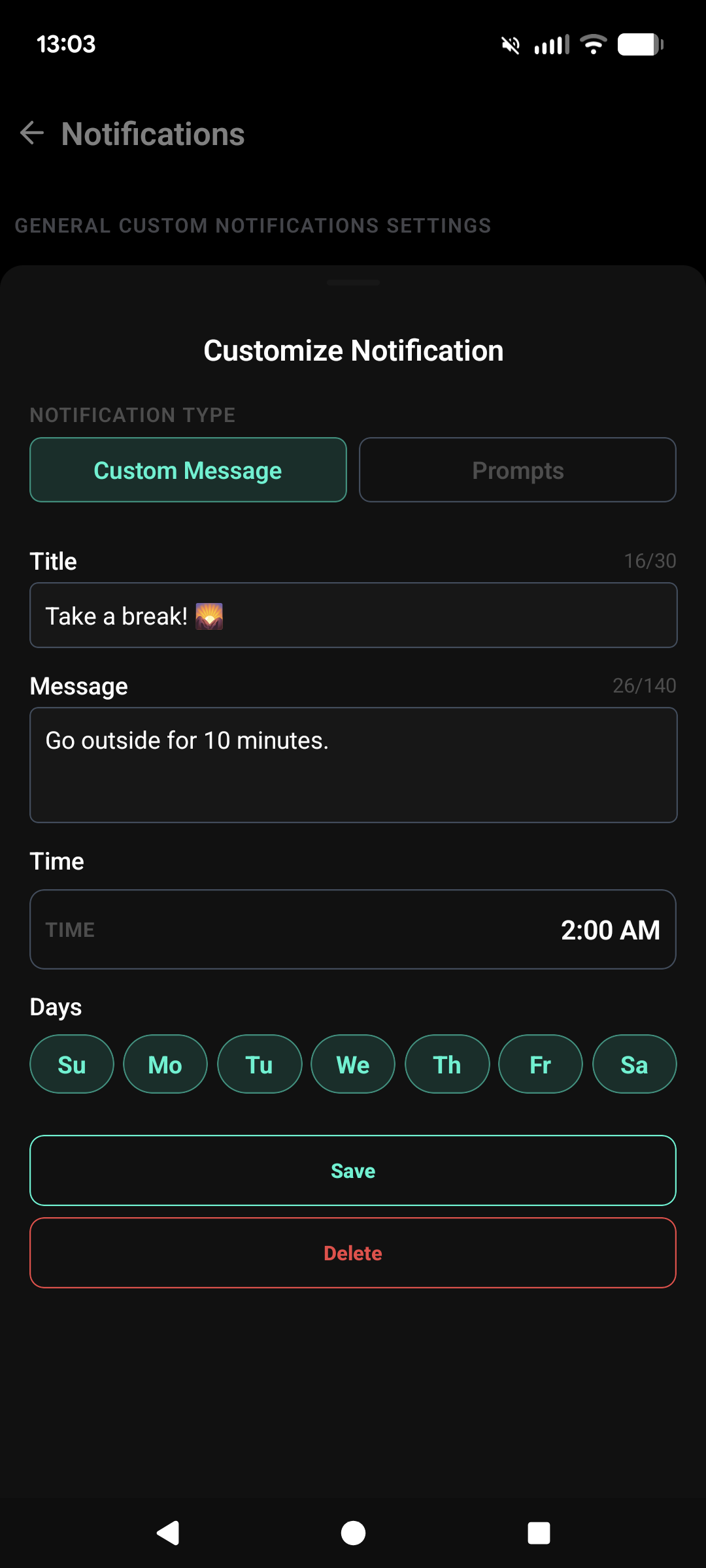
Make it part of your day.
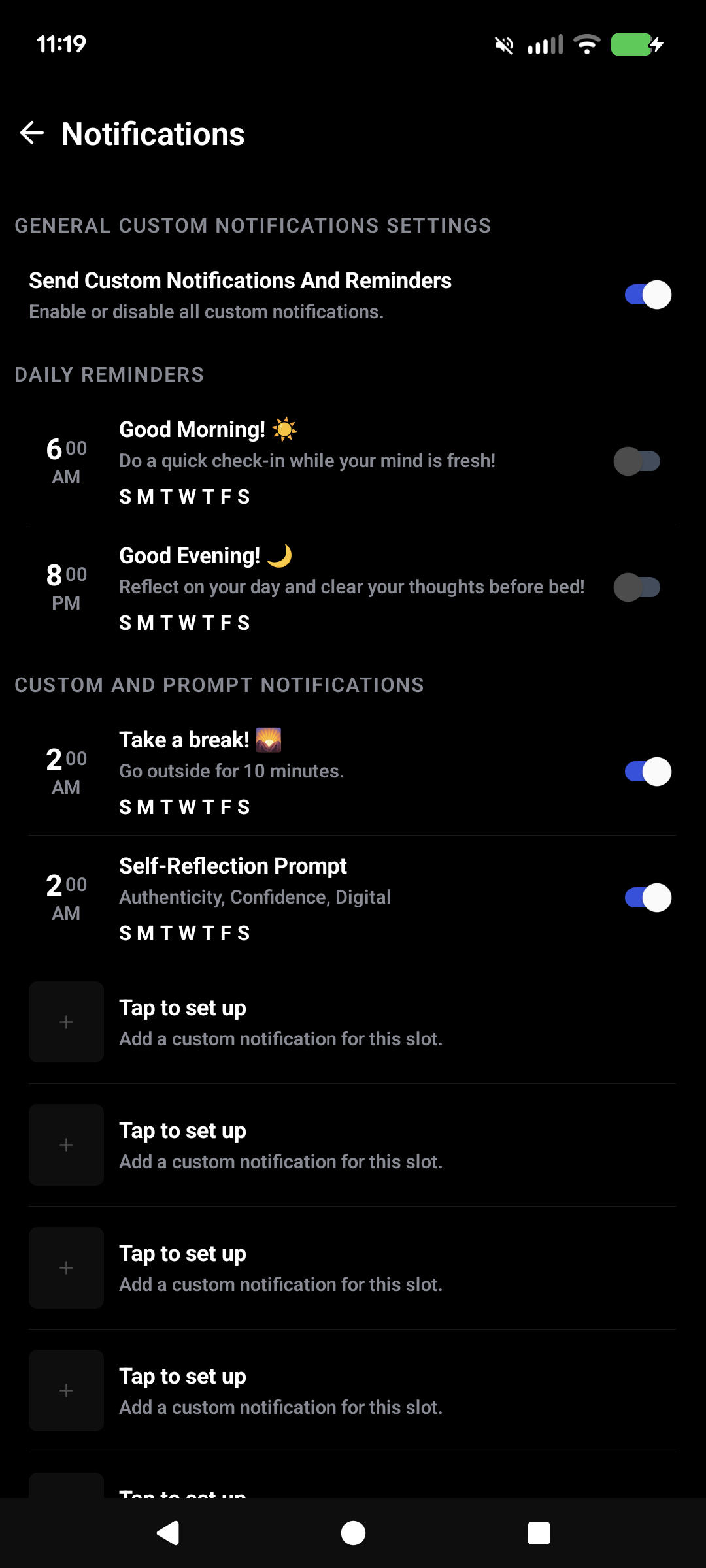
Open notification settings.
In the mobile app, open Settings, then Custom Notifications. Choose an available slot to add or edit.
Make the message yours.
Choose a custom message and give it a title and body. An intention, a reminder, or a few words of encouragement.
Choose its place in your week.
Select the days and time, save your message, and turn the notification on.
Allow notifications on your phone and turn on the main notification switch in Mindwell. Messages arrive around your selected time.
See the permission stepsFree accounts include one shared custom-or-prompt notification slot. Paid plans unlock up to ten. Daily reminders are separate.
Compare plansGood to know.
Do I need a Mindwell account?
Yes. Sign in to set up daily reminders, custom messages, and prompt notifications in the mobile app.
Can I pause notifications?
Yes. Turn off an individual notification or use the main notification switch in Mindwell. You can also change notification permissions in your phone settings.
Will a notification arrive at the exact time I choose?
Notifications are delivered around your selected time. Your device settings and delivery conditions can affect when they appear.